A web brochure with an inquiry form
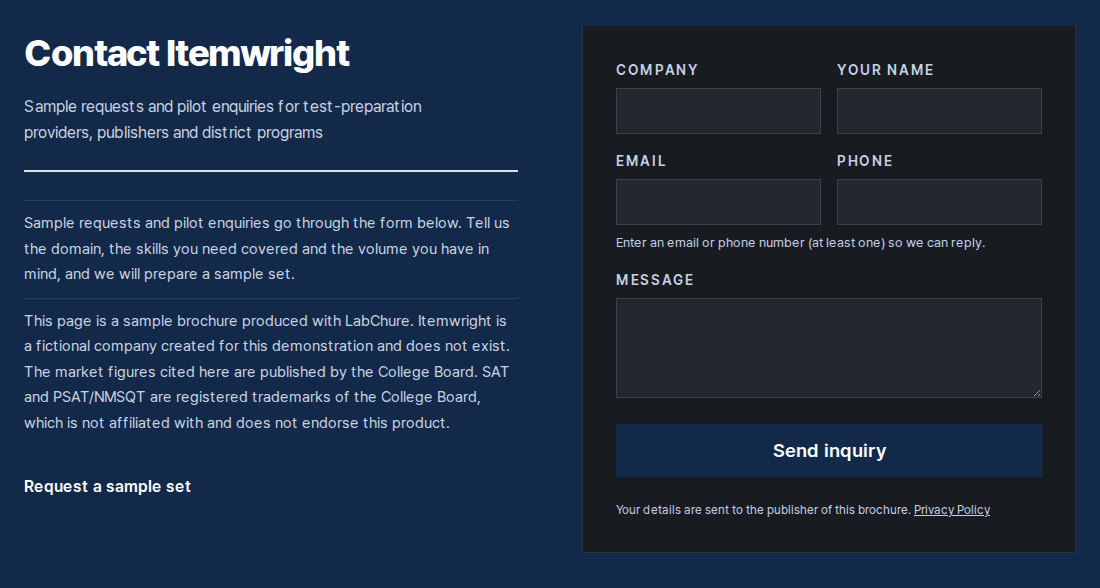
A LabChure brochure can show an inquiry form, so visitors send you their contact details and a message without leaving the page. Each inquiry is emailed to the address you choose and kept in Inquiries, where you reply by email.
How it works
- 1
Make the brochure
Upload the files you already have. AI writes the brochure from them, and you check it.
- 2
Turn on the inquiry form
In the publish window, turn on the form and choose where inquiries go. Leave it blank to use your account email.
- 3
Publish and get inquiries
Inquiries arrive by email and in Inquiries. If you sent someone their own link, you see inquiries for that link too.
Good to know
- The inquiry form is on the Starter plan and up.
- Turning the form on or off reaches the public page the next time you publish. A new email address applies right away.
- You can also attach files, such as a spec sheet, and ask for an email before download. Those emails appear in Inquiries too.
Plans
Making a brochure is free to start. The inquiry form and email-to-download are on paid plans.
Questions
Do I need a separate form tool?
No. The form is part of the brochure, and there is nothing to embed.
Where do inquiries go?
To the email address you set, and to Inquiries in LabChure.
Can I delete an inquiry?
Yes. Delete it when the sender asks you to remove their details. It can't be undone.
Who in my team can see inquiries?
Owners, admins, and editors. The viewer role can't open them, because inquiries contain contact details.