One set of documents, a brochure in up to 10 languages
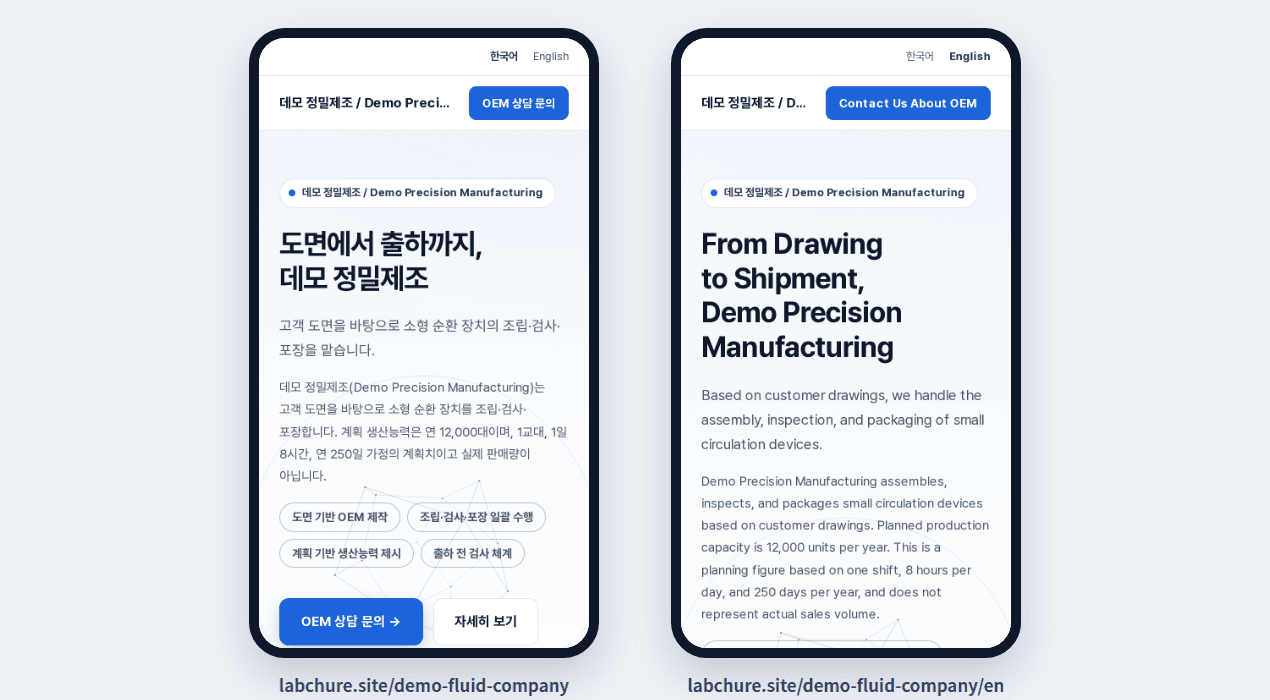
LabChure writes your brochure in one language from your files, then adds other languages by translation: English, Korean, Chinese, Japanese, Spanish, German, French, Portuguese, Italian, and Vietnamese. Each language version is checked against the same documents, has its own address, and readers switch languages at the top of the page.
How it works
- 1
Choose the brochure language
Upload your files and pick the language the brochure is written in. LabChure can also pick it from your files and the line you write.
- 2
Add languages
Translate the brochure into other languages, one click per language. In a translation, you edit the text only, and the layout stays the same as the source language.
- 3
Publish every language at once
Each language gets its own address, such as /en, and search engines see the language versions as one set.
Good to know
- How many languages you can use per brochure depends on your plan: 2 on Free, 3 on Starter, 5 on Pro, and 10 on Business.
- If you edit the source language after translating, translate again. Until then, publishing leaves the other languages as they were.
- Read important pages with a native speaker before you send them.
Plans
Free to start with no card, in up to 2 languages.
Questions
Do I need separate files for each language?
No. Every language version is written from the same files.
Can my files be in a different language from the brochure?
Yes. AI writes in the brochure language you choose. For example, Korean documents can become an English brochure.
Does the page switch language on its own for each visitor?
No. Readers choose the language at the top of the page.
Which languages are supported?
English, Korean, Chinese, Japanese, Spanish, German, French, Portuguese, Italian, and Vietnamese.